KOT System
Kitchen Order Tickets route each dish to the right station the moment an order is placed — no paper, no missed items.
How to enable it
- 1
Log in as an Admin and open Addons from the sidebar.
- 2
Under For Your Business (Restaurant), enable KOT System.
- 3
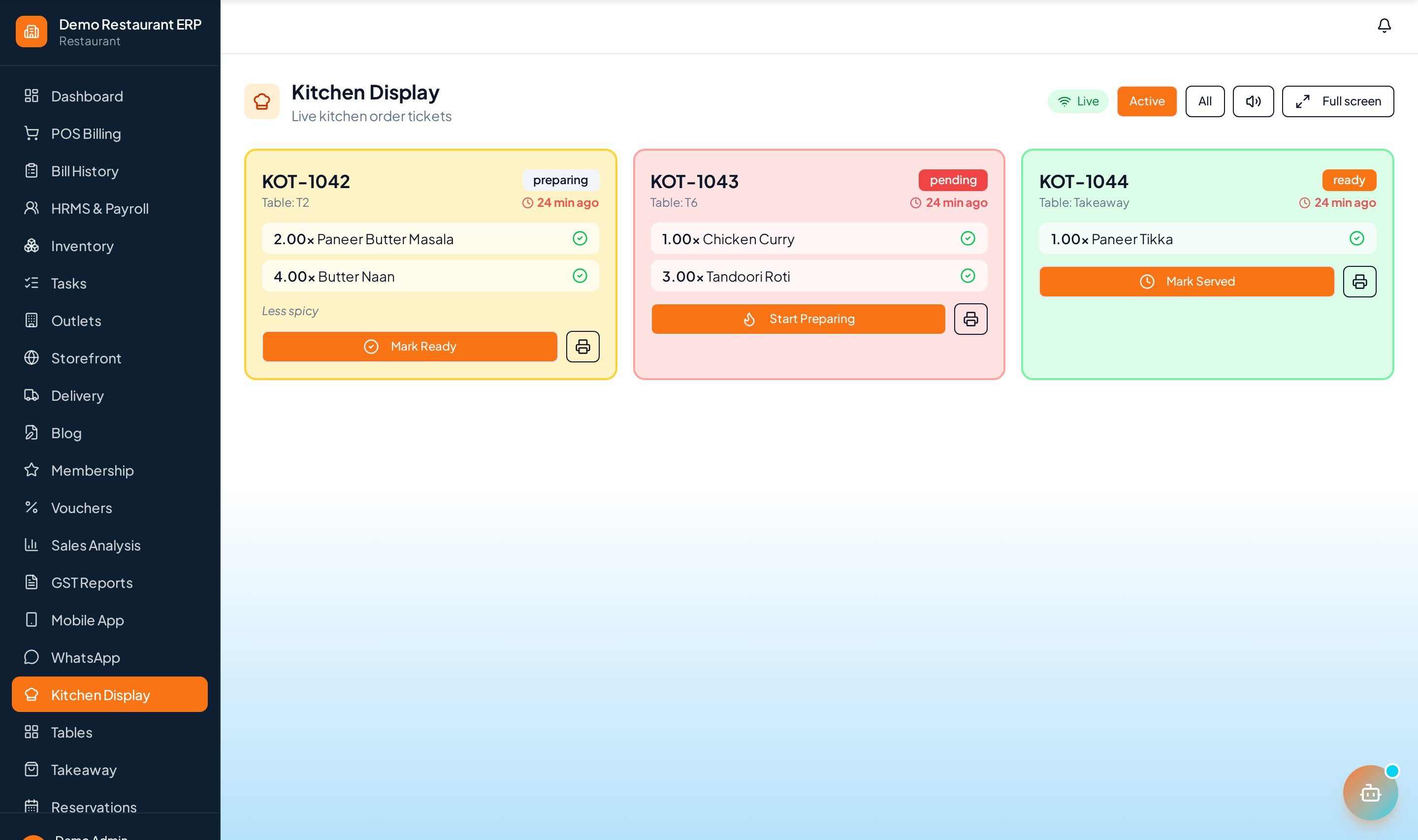
Open KOT from the sidebar for the kitchen display.
Step by step
- 1
Take the order
The waiter or POS sends the order to the kitchen.
- 2
Kitchen sees it
A ticket appears on the KOT display, routed to the right station.
- 3
Track status
Move tickets through preparing → ready.
- 4
Serve
Mark items served; edits supersede the old ticket so the kitchen never sees stale items.
See it in the app
Want the full feature list?
See everything KOT System can do and what's included.
More Restaurant guides
Table Management
A live floor map of every table — occupied, free, or reserved — with a running bill per table.
Dine-In & Takeaway
Handle dine-in, takeaway, and delivery from a single screen with the right flow for each order type.
Table Reservation
Let guests reserve tables online and manage the book from one calendar — no double bookings.